
5 Review Request Templates to Get Local Google Reviews for Contractors
The fastest way to generate genuine reviews is a short, personalised email or SMS with a direct review link, sent while the job is still fresh, followed by one polite reminder. Skip discounts, freebies, or any hint of a reward for leaving feedback. Combine both channels rather than picking one, since email and SMS together tend to outperform either alone.
TL;DR:
- Sending personalized review requests immediately after the service, including the technician’s name and specific job details, significantly increases response rates.
- Combining email and SMS channels offers better review collection performance, with SMS providing quick replies and email allowing detailed follow-up.
- Review requests should be sent within the first three days after the interaction, with a second reminder if no response is received, but repeated prompting beyond two weeks can appear pushy.
- Google’s policies prohibit incentivizing reviews or coaching customers on what to write, so templates must focus on honest, straightforward asks without rewards.
- Tracking actual link clicks and completed reviews, rather than open rates, yields the most accurate measure of campaign success.
Table of Contents
- Email templates for review requests: every scenario covered
- SMS templates for review requests that get replies
- Subject lines and CTAs that actually get opened
- When to send review requests: timing and follow-up cadence
- Making templated review requests feel human
- Google’s rules on review requests: what’s allowed and what isn’t
- Measuring what works: metrics, A/B tests and quick wins
- Review request examples for retail, hospitality and healthcare businesses
- OnLead’s perspective: templates work, but only with follow-through
- Let OnLead set up your review-request system for you
- Sources
- FAQ
Email templates for review requests: every scenario covered
Most small businesses only send one type of review request: the generic “please review us” blast. That’s a mistake. The scenario dictates the tone, and the tone dictates whether someone actually clicks through.
Here are five templates built around the moments that matter most for a trade or service business.
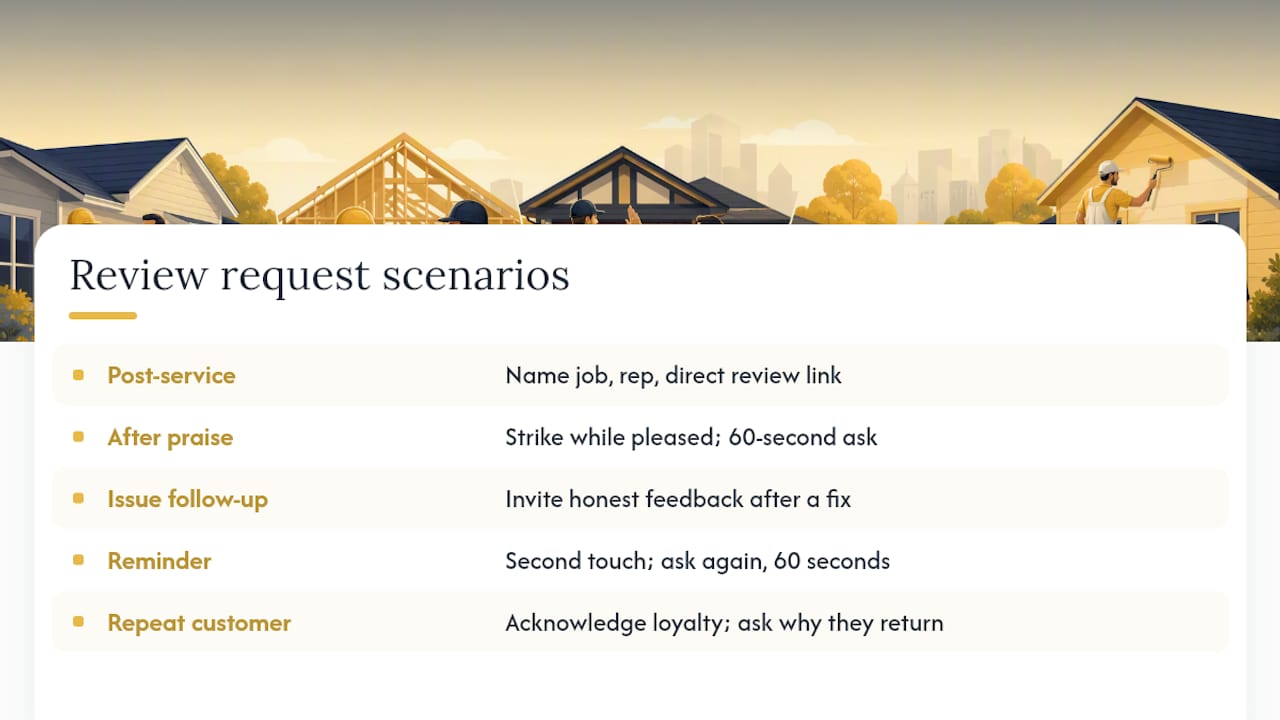
1. Post-purchase or service completion
Subject: Quick favour, [First Name]?
Hi [First Name],
Thanks for choosing us for your [job type, e.g., “furnace repair”] on [date]. [Rep Name] mentioned everything went smoothly, and we’d love to hear your take.
If you have two minutes, a quick review helps other homeowners in [city] find us: [Direct Review Link]
Thanks again, [Business Name]
2. After verbal positive feedback
If a customer tells your technician “this was great” on the way out the door, that’s the moment to strike, not three days later.
Subject: You made our day, [First Name]!
Hi [First Name],
[Rep Name] told us how pleased you were with the [service] today. Would you mind putting that in writing? It takes 60 seconds and means a lot to a small team like ours: [Direct Review Link]
3. Issue resolution follow-up
This one takes more care. You’re not fishing for a five-star review, you’re inviting honest feedback after a fix.
Subject: Following up on your [issue]
Hi [First Name],
We wanted to check in after resolving the [specific issue] on [date]. We hope things are running the way they should. If you’re comfortable sharing your experience, honest feedback (good or bad) helps us improve: [Direct Review Link]
4. Reminder / second touch
Subject: One more favour, if you have a moment
Hi [First Name],
Just circling back on our note from last week. If you have 60 seconds, we’d still love your feedback on the [service] our team completed: [Direct Review Link]
5. Loyal or repeat customer
Subject: Thanks for trusting us again, [First Name]
Hi [First Name],
This is your third time calling us for [service type], and we don’t take that for granted. Would you share what’s kept you coming back? [Direct Review Link]
The tokens doing the real work here are the customer’s name, the specific job detail, and the technician or rep’s name. Shopify’s guidance on review requests recommends a clear call-to-action in every message, and a generic “we value your feedback” line fails that test almost every time.
Pro Tip: Save these as canned responses or snippets in your email tool with the tokens already bracketed. Your team should be able to send a personalised ask in under 30 seconds, not compose one from scratch.
SMS templates for review requests that get replies
Text messages get read fast, usually within minutes, which makes them ideal for immediate post-job asks. But SMS has hard limits: keep the whole message, link included, under 160 characters, and never send outside reasonable daytime hours.
Two templates cover most situations:
- Immediate post-job ask: “Hi [First Name], thanks for choosing [Business Name]! Mind leaving us a quick review? [Short Link] – [Rep Name]”
- Short follow-up: “Hi [First Name], just a reminder if you have a sec: [Short Link]. Thanks for your time!”
A few rules matter more with SMS than email:
- Always use a shortened URL or QR code. Long tracking links eat your character budget and look spammy.
- Get consent before texting. A quick opt-in during checkout or job sign-off is enough; blasting numbers pulled from an old invoice list is not.
- Send between roughly 9 a.m. and 7 p.m. local time. Late-night texts get deleted on reflex, and some jurisdictions restrict off-hours commercial messaging outright.
- Don’t trust “open rate” as a success metric. GatherUp’s analysis of SMS versus email requests found combining both channels typically produces more total reviews than either alone, but SMS open data is notoriously unreliable since most carriers and platforms don’t report it accurately. Track link clicks and submitted reviews instead.
Subject lines and CTAs that actually get opened
A perfect template dies in the inbox if the subject line sounds like every other review request a customer has ignored. Specificity beats generic politeness every time.
Scenario-matched subject lines worth testing:
- “Quick favour, [First Name]?” (post-service, casual tone)
- “You made our day today” (after verbal praise)
- “Following up on your [issue]” (post-resolution, no exclamation marks)
- “60 seconds for [Business Name]?” (reminder/second touch)
Button and CTA copy matters just as much as the subject line. “Leave a Review” reads as a chore. “Share Your Experience” or “Tell Us How We Did” reads as a conversation. Even “Rate Us in 60 Seconds” works because it sets a concrete, small expectation.
Test one variable at a time:
- Run the same email with two subject lines to two even-sized customer segments.
- Keep the CTA button copy constant while testing subject lines, then flip it once you’ve picked a winner.
- Compare a same-day SMS ask against a next-morning email ask for identical job types.
When to send review requests: timing and follow-up cadence
Ask while the experience is still top of mind. If the technician or sales rep can hand over a QR code or mention the request in person before leaving, do it there. In-person asks tied to a real relationship convert at a noticeably higher rate than a cold digital request sent days later.
If an in-person ask isn’t practical, here’s a cadence that works for most trade and service businesses:
- Same day to 72 hours after job completion: send the first request by email or SMS while the work is fresh.
- Day 3 to 7: if no response, send one follow-up on a different channel than the first (email first, then SMS, or vice versa).
- Day 7 to 14: send a final, low-pressure nudge, then stop. Repeated requests past this point read as pressure, not politeness.
Research on review timing supports asking quickly, since same-day or within-a-few-days requests consistently outperform delayed ones. Combining channels across that window, rather than hammering one channel three times, tends to produce the best overall response.
Making templated review requests feel human
A template only works if it doesn’t read like one. The fix isn’t complicated, but it does take discipline across a team.
- Always fill in the customer’s name and the rep’s name, never leave a generic “Hi there” or an unsigned message.
- Reference the actual job: “your furnace repair,” not “our recent service.”
- Keep language sincere and specific rather than salesy. “We’d love to hear your take” beats “Your opinion matters to us!”
- Rotate three or four base templates so regular customers don’t receive the identical wording twice.
- Let staff tweak a line or two based on what they remember about the job. A technician who recalls a specific detail (“glad we got that pilot light sorted before the cold snap”) turns a form email into a real note.
BrightLocal’s research on local consumer reviews found personalised, specific responses build more trust with readers than generic ones, and the same logic applies to the initial ask. Consumers are also growing wary of anything that reads as AI-generated or scripted, which makes a rough edge or a human phrase worth more than polished corporate copy.
Pro Tip: Keep a simple log of who asked for a review and when, whether that ask was in person or digital. It stops your team from double-asking the same customer within a week and helps you match digital follow-ups to what was already said face to face.
Google’s rules on review requests: what’s allowed and what isn’t
Google Business Profile’s review policy forbids offering incentives, discounts, or freebies in exchange for reviews, and it bars coaching customers on what to write. Violating either can get reviews removed or the profile penalized. Every template above sticks to a plain, honest ask for exactly that reason.
A few practical guardrails:
- Generate your direct Google review link through your Business Profile dashboard, then shorten it for SMS use.
- Turn that same link into a QR code for a truck decal, invoice, or countertop card.
- Remind customers they’ll need a Google Account signed in to leave the review.
- Avoid collecting reviews on a shared business tablet or device; a QR code that opens on the customer’s own phone is safer and avoids flagging suspicious device activity.
- For SMS, confirm you have consent to text and stick to reasonable daytime hours.
The FTC’s guidance on soliciting online reviews reinforces the same principle from a different angle: any solicitation has to be transparent and can’t mislead the reader about why they’re being asked.
Measuring what works: metrics, A/B tests and quick wins
Vanity metrics will lie to you here. SMS “open rates” are essentially unreported by most carriers, so treat any tool claiming precise SMS open data with suspicion. Track what you can actually verify.
- Review-link clicks. Use a shortened or UTM-tagged link so you know exactly how many people opened the review page.
- Completed submissions. Compare clicks to actual reviews posted; a big gap usually means the review platform’s login step is losing people.
- Reviews per 100 asks. This single ratio tells you more about template performance than opens or clicks alone.
- Response timing. Track how long after sending a request the review lands; a QR code from GBP.
Run one variable at a time. Change the subject line and hold the CTA and channel constant, or change the channel (email versus SMS) and hold the copy constant. A four-week test window, split evenly across two versions, gives you a reasonable read on which template pulls more completed reviews per 100 requests sent, without guessing based on a handful of responses.
Review request examples for retail, hospitality and healthcare businesses
The core template structure holds across industries, but the framing and channel mix shift depending on what the customer just experienced.
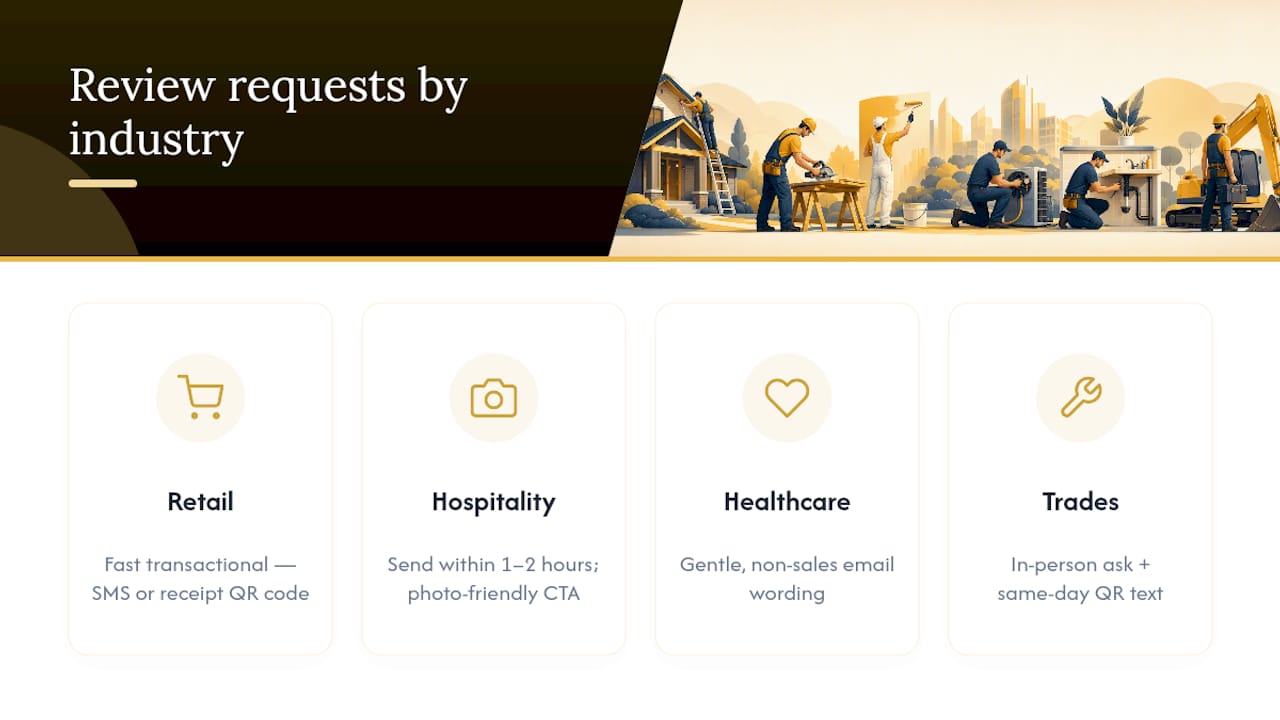
Retail: Keep it fast and transactional. “Hi [First Name], thanks for picking up [item] at [Business Name] today! Quick review? [Link]” works because retail customers rarely want a long email; SMS or a receipt QR code fits the moment better than an email sequence.
Hospitality (restaurants, salons, short-stay rentals): Timing matters more here than almost anywhere else. Send the request within an hour or two of checkout or the end of the visit, while the experience is still vivid. A short email with a photo-friendly CTA (“Show us your [dish/style]!”) often outperforms a plain text ask.
Healthcare and personal services: Tone needs to be gentler and less transactional. Skip anything that sounds like a sales push. “We hope your visit went well. If you’re comfortable, sharing your experience helps other patients find us” respects the sensitivity of the interaction while still inviting honest feedback.
Trades (HVAC, plumbing, electrical, roofing): The in-person ask at job completion, backed by a same-day text with a QR code, tends to beat email alone, since most homeowners are standing right there when the job wraps up.
OnLead’s perspective: templates work, but only with follow-through
Templates solve the writing problem. They don’t solve the follow-up problem, and that’s where most small businesses lose reviews they’ve already earned. At OnLead, we see trade clients get real lift from consistent asking paired with an accurate, optimised Google Business Profile, because a great template pointed at a neglected profile still underperforms. Templates are the starting point. Measurement and profile upkeep are what turn a handful of reviews into a steady flow.
— OnLead
Let OnLead set up your review-request system for you
Writing templates is the easy part. Building the sequence, wiring up direct review links, keeping your Google Business Profile accurate, and tracking which messages actually convert takes ongoing attention most owners don’t have time for. This service is an alternative to hiring a full marketing hire for trade businesses, offering direct work with a dedicated founder, fast campaign launches, and no long-term contracts.
OnLead’s services cover Google Business Profile optimisation, automated email and SMS sequences, and local SEO built specifically for HVAC, plumbing, electrical, and roofing companies, with everything measured so you know which requests are actually producing reviews. If you want a lead generation setup that includes review-request automation baked in, start with a free audit through the services page and get a custom quote for your business.
Sources
- Google Business Profile help: Reviews policy
- Shopify: Google reviews (templates and advice)
- GatherUp: SMS vs email review requests
- BrightLocal: Local consumer review survey
FAQ
How do I write a review request?
Keep it short: thank the customer, reference the specific job or item, and include a direct review link with a single clear call-to-action. Send it the same day or within 72 hours of the interaction, and never offer a discount or reward in exchange for leaving feedback, since Google’s review policy prohibits incentivized reviews.
Can you give an example of a review request?
“Hi [First Name], thanks for choosing us for your [service] today. If you have a minute, we’d love your feedback: [Direct Review Link].” The strongest examples reference the actual job and the rep’s name rather than staying generic.
What’s a good message to ask for a review?
A good message is brief, personal, and honest about why you’re asking, without pressure or a reward attached. Shopify’s review request guidance recommends a clear CTA over vague language like “we value your opinion.”
How much does OnLead charge to set up review-request campaigns?
Pricing is custom-quoted after a free audit, since every trade business’s setup and volume differ. You can request that audit through OnLead’s services page.
Should I use email or SMS for review requests?
Use both. GatherUp’s analysis found combining SMS and email typically produces more total reviews than relying on a single channel, with SMS suited to fast, immediate asks and email better for adding detail or a longer follow-up sequence.