
6–10 Hours to a Plumber Google Business Profile That Books Jobs
Claim and verify your Google Business Profile, set your primary category to “Plumber,” and configure it as a service-area business if you work out of a truck rather than a storefront. From there, fill in every service you offer and get your first five reviews within the week. Skip any of these and you’re invisible in the Map Pack while a competitor with a thinner profile books the job instead.
TL;DR:
- Claim and verify your Google Business Profile promptly using postcard or video verification to prevent delays and profile rejections.
- Set your primary category to “Plumber” and clearly define your service area without displaying a physical address if you operate as a service-area business.
- Keep your profile active by regularly uploading photos, posting updates, and responding to questions within 24 hours to improve local search visibility.
- Focus on gathering reviews quickly within two hours of job completion, avoiding paid reviews and swiftly addressing any negative feedback publicly.
- Use consistent information across your website and social channels, supplement your GBP with local SEO efforts, and manage multiple locations with proper permissions to maximize ranking and lead generation.
Table of Contents
- How to claim and verify your plumber Google Business Profile
- Category, services, hours, and the fields Google actually weights
- Keeping the profile active with photos, posts, and Q&A
- Getting more reviews, faster, and handling the bad ones
- Connecting your profile to local SEO, schema, and real numbers
- Running one profile across multiple locations or crew members
- What to do if your profile gets suspended or flagged
- Making your profile work with your website and social channels
- What OnLead prioritizes when we take over a plumber’s profile
- How OnLead helps plumbers turn a profile into booked jobs
- Sources
- FAQ
How to claim and verify your plumber Google Business Profile
Search Google for your business name and city before you do anything else. If a listing already exists (created by a customer, a directory, or an old employee), claim it instead of building a new one. Duplicate listings split your reviews and confuse Google’s algorithm, which tanks your visibility in both organic results and the Map Pack.
Once you request access, Google offers one of several verification methods, depending on your business type and region:
- Postcard by mail — arrives in 5 to 14 days with a code you enter into your profile.
- Phone or text verification — instant, but not always available for service-area plumbers.
- Email verification — fast, offered mainly to businesses Google already trusts.
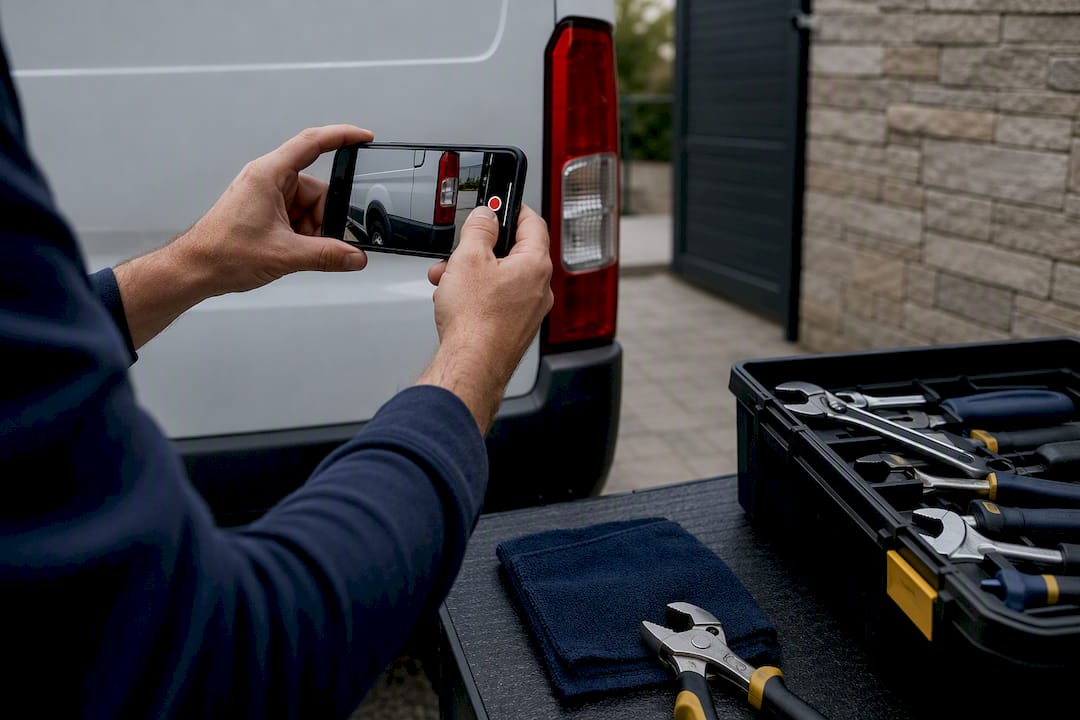
- Live video verification — you record a short video showing your work vehicle, signage, invoices, or job site to prove you manage the business.
The most common mistake: editing your business name, address, or phone number after requesting the postcard but before entering the code. That restarts the whole process. Postcard codes also expire after a limited period, so enter yours as soon as it lands.
Pro Tip: If Google offers video verification, film your work van with visible branding, a recent invoice with your business name, and a quick pan of your tools. Vague footage is the number one reason plumbers get asked to resubmit.
Category, services, hours, and the fields Google actually weights
Your primary category should be “Plumber,” full stop. Google’s own ranking guidance confirms that accurate, complete profile fields directly affect local search eligibility, and category is the single heaviest signal in that mix. A plumber-specific setup guide backs this up, and also flags a mistake that costs plumbers calls every day: showing a home address when you don’t actually serve customers there. If you’re a service-area business, hide the address and define your coverage by city or postal code instead.
Layer in secondary categories that match real demand: “Drainage Service,” “Hot Water System Supplier,” or “Septic System Service” if that’s genuinely part of your work. Don’t pad the list with categories you can’t back up with real jobs.
Your business description gets 750 characters. Use them to describe what you actually do, in the words homeowners search with, not marketing copy. Something like “Licensed residential and commercial plumber serving [region], specializing in drain cleaning, water heater repair, and emergency leak service” beats vague lines about “quality and integrity” every time.
For services, add individual entries rather than one long paragraph, each with a short description and, where you’re comfortable, a price range:
- Drain cleaning and snaking
- Water heater installation and repair
- Leak detection and pipe repair
- Emergency and after-hours plumbing
- Sump pump installation
Attributes matter more than most plumbers assume. Turn on “identifies as veteran-owned” or “identifies as women-owned” if accurate, and always mark “onsite services” and any licensing or insurance attributes Google offers for trades.
Pro Tip: Set your hours to reflect reality, including a separate “emergency hours” note in your description if you run 24/7 service. A profile that says “closed” when you’re actually taking emergency calls costs you the exact customer who needs you most.
Keeping the profile active with photos, posts, and Q&A
Google treats an active profile differently than a static one, and industry data on GBP optimization consistently ties recent activity to stronger Local Pack performance. The plumbers who show up don’t necessarily have more reviews. They just don’t let the profile go quiet.
- Upload photos weekly. Before-and-after shots of real jobs (a repiped basement, a replaced water heater) outperform stock branding images every time.
- Post something every week. Rotate between a completed job, a seasonal tip (frozen pipe prevention in January), and a promo or service reminder.
- Prepopulate your Q&A. Answer “Do you offer emergency service?” and “Do you service [nearby town]?” yourself before a stranger posts something inaccurate.
- Respond to every question within a day. An unanswered Q&A sitting there for weeks reads as neglect to anyone comparing you against a competitor.
Pro Tip: Keep a phone folder titled “GBP Photos” and snap one shot on every job, win or not. It turns weekly posting into a two-minute task instead of a scramble.
Getting more reviews, faster, and handling the bad ones
Review velocity beats total review count. A profile with 40 reviews spread over three years looks stale next to a competitor adding five reviews a month, and Google’s own visibility signals reward the business that looks alive right now.
The best time to ask is within two hours of finishing the job, while the relief of a fixed leak or a working furnace is still fresh. Waiting until the invoice is emailed a week later kills your response rate.
- Send your direct GBP review link by text the moment the tech leaves the driveway.
- Use a short template: “Thanks for choosing [business name] today! If you have 30 seconds, a Google review helps other homeowners find us: [link].”
- Follow up once, three days later, if no review has landed.
- Never offer payment or discounts for reviews. It violates Google’s policies and can get a profile suspended.
When a negative review lands, respond publicly, briefly, and without defensiveness. Acknowledge the specific issue, state what you’ll do about it, and take the detailed back and forth offline. If a review is fake, from a non-customer, or violates Google’s content policies, flag it for removal through the profile dashboard rather than arguing in the replies. A structured process for requesting and managing reviews, like the workflow outlined in this reputation management guide, turns review generation from an afterthought into a habit.
Pro Tip: Text works better than email for review requests. Response rates on SMS run far higher than email for this exact ask, mainly because homeowners are already looking at their phone right after the job.
Connecting your profile to local SEO, schema, and real numbers
A fully optimized profile is only half the job. Plumbers who rank across an entire region, not just their home base, usually pair GBP with dedicated service-area pages on their website, one for each town or neighbourhood they actually work in, built around real content rather than a swapped city name on a template page.
Adding LocalBusiness schema to those pages helps Google connect your website to your profile. At minimum, include:
| Schema field | What to include |
|---|---|
| name | Exact business name as it appears on your GBP |
| telephone | Primary business phone number |
| url | Homepage or service-area page URL |
| areaServed | Each city or region you serve |
| openingHoursSpecification | Regular hours, plus emergency availability |
For measurement, watch three numbers inside your GBP dashboard: phone calls, direction requests, and website clicks (labelled “profile actions”). Category and description edits tend to shift rankings within two to four weeks. Review velocity and photo activity often move faster, sometimes within days.
Pro Tip: Screenshot your GBP insights monthly. Without a baseline, you won’t know whether a ranking change came from your last edit or from a competitor slipping.
Running one profile across multiple locations or crew members
Each physical location or distinct service area generally needs its own Business Profile, even under one company name. A plumbing outfit with a shop in one city and a second crew covering a neighbouring region shouldn’t merge both into one listing. Google’s ranking logic is location-specific, and one blended profile dilutes relevance for both areas.
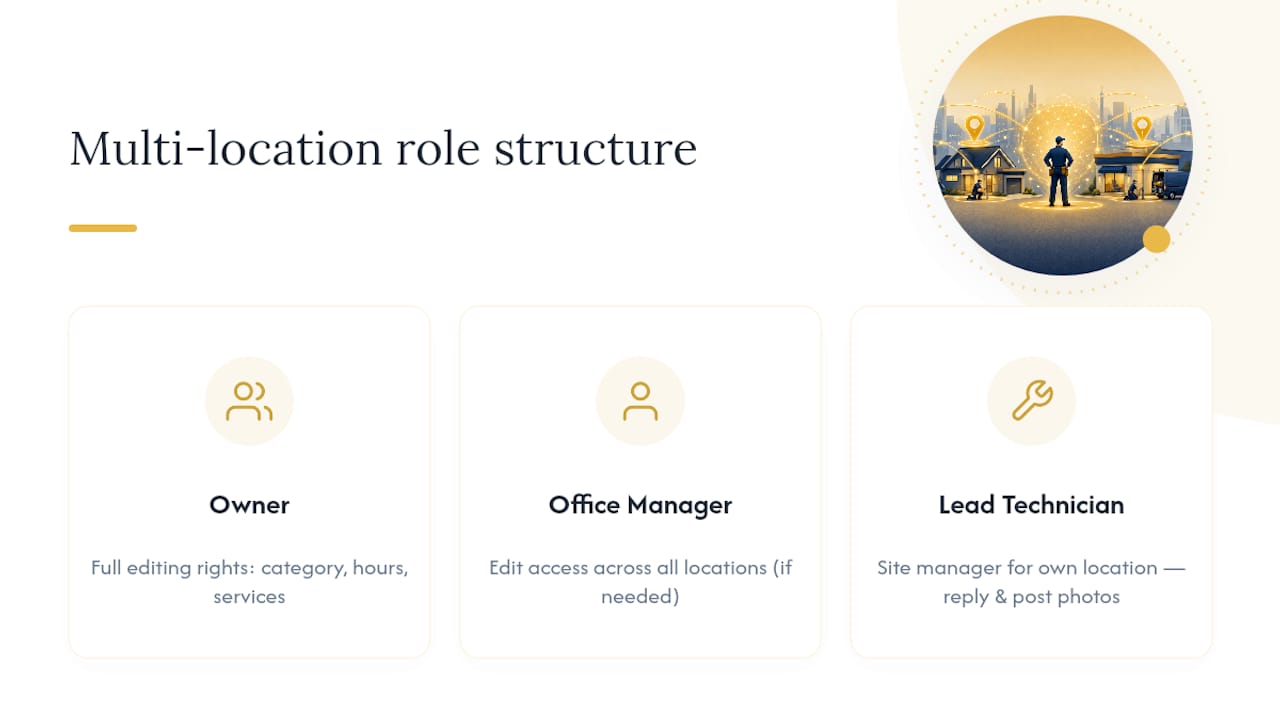
Google Business Profile’s group management tools, accessed through Business Profile Manager, let an owner add multiple locations under one account and assign different staff as managers for each. This matters for plumbing companies running two or three trucks in different towns: the office manager might need edit access across all locations, while a lead tech only needs to answer messages and post photos for the location they’re tied to.
Set permission levels deliberately. Owners and primary managers should be the only ones with full editing rights (category, hours, service list). Give front-desk staff or techs “manager” or “site manager” access so they can respond to reviews and post photos without risking an accidental edit to your business hours or address.
If you’re managing three or more locations, a spreadsheet tracking who owns what task at which location, weekly photos, review responses, Q&A monitoring, saves more headaches than it sounds like it would. The plumbers who let this slide usually notice when one location’s reviews go unanswered for a month and nobody catches it until a customer complains.
What to do if your profile gets suspended or flagged
Suspensions almost always come down to one of a few triggers: a mismatched address for a service-area business, keyword stuffing in the business name (adding “Best Plumber in [City]” to your actual name), a spike in reviews that looks unnatural, or multiple listings for the same location.
The fix depends on the suspension type. A “soft” suspension usually just hides your profile from search and maps while keeping your data intact, and correcting the underlying issue (fixing the name, updating the address, removing a duplicate) often restores it within days. A “hard” suspension removes the profile entirely and requires reverification from scratch, sometimes with additional documentation like a business licence or utility bill.
Google’s Business Profile support team handles appeals through the “Request Review” option inside the dashboard, or through the Business Profile community forum for cases that stall. Be specific in your appeal: state exactly what was inaccurate and what you’ve fixed, rather than a general “please reinstate my profile” message.
Prevention beats appeals every time. Keep your business name exactly as it appears on your licence, never edit your address casually, and avoid review-gating tools that ask customers to rate you privately before posting publicly, which violates Google’s policies and is a common suspension trigger for trade businesses.
Making your profile work with your website and social channels
A Google Business Profile performs best as one piece of a connected system, not a standalone listing. The phone number, business name, and address on your profile need to match your website exactly. Even small inconsistencies (a suite number on one, not the other) create the kind of mismatch that erodes local ranking signals over time.
Link your website prominently from your profile, and make sure that website has the service-area pages and contact information to back up what the profile promises. A well-built contractor website gives homeowners somewhere to land after they click through from a search result, rather than a thin page that undoes the trust the profile just built.
Social media plays a smaller but real supporting role. Cross-posting a GBP update, a finished job photo, a seasonal reminder, to Facebook or Instagram extends its reach past people actively searching. It also gives you content to point new profile visitors toward if they check your social presence before booking.
Google Ads and Local Services Ads sit on top of this, not apart from it. A homeowner who sees your ad, then checks your Business Profile before calling, is far more likely to book if the profile is complete and reviewed than if it looks abandoned. Treat GBP as the foundation the rest of your paid and organic efforts all point back to.
What OnLead prioritizes when we take over a plumber’s profile
A full claim, verification, and buildout typically takes six to ten hours spread across the first two weeks, most of it front loaded into category selection, service entries, and the first review push. The fastest returns come from getting the category exactly right, uploading real job photos immediately, and generating five to ten reviews in the first ten days. Everything else compounds from there. OnLead works directly with plumbing business owners, not a call centre, so that first month’s priorities get set once and executed without a dozen rounds of back and forth.
— OnLead
How OnLead helps plumbers turn a profile into booked jobs
Plenty of plumbers manage their own Google Business Profile just fine with an hour a week and some discipline around reviews and photos. OnLead exists for the ones who’d rather have that hour back. OnLead is the alternative to hiring an in-house marketing hire for plumbing companies in Ontario, at a fraction of the cost and without the ramp-up time of training someone from scratch.
Beyond profile optimization, OnLead builds the website and service-area pages your profile links back to, manages Google Ads and Local Services Ads for the calls that come in while your organic ranking climbs, and runs the local SEO work that keeps you visible in every town your trucks actually reach. Most campaigns launch within 72 hours of signing on, and every client works directly with founder Vitalii rather than an account manager reading from a script.
If you want a straight read on where your profile stands today, request a free audit from OnLead and see exactly what’s costing you calls.
Sources
For the verification process itself, Google’s own Business Profile Help centre stays the most reliable source, alongside BrightLocal’s GBP research for the broader case on optimization.
- Verify your business on Google - Google Business Profile Help
- The Importance of Google Business Profile - BrightLocal
- Google Business Profile for Plumbers: The Complete Optimization Guide for 2026 | Claremont Software
FAQ
How do I find my company’s Google Business Profile?
Search your exact business name and city on Google or Google Maps. If a listing appears with a “Claim this business” or “Own this business?” prompt, that’s your unclaimed profile waiting to be verified.
Is it worth having a Google Business Profile as a plumber?
Yes. A complete, active profile is often the first thing a homeowner sees before they call, and BrightLocal’s research frames GBP as a primary discovery and conversion point for local service searches, not just a secondary listing.
How do I know if a company already has a Google Business Profile set up?
Search the business name plus city on Google Maps. If a profile shows reviews, hours, or photos already attached, it exists, and claiming it (rather than creating a new one) preserves that history.
What’s the best way to advertise as a plumber beyond GBP?
A complete Google Business Profile paired with Local Services Ads or Google Ads tends to outperform either channel alone, since paid visibility drives clicks straight to a profile that’s already built to convert them.
Why does my plumbing profile show a home address I don’t want listed?
This usually happens when a service-area business was set up as a storefront by default. Switching to a proper service-area configuration and hiding the address, as recommended in plumber-specific GBP guidance, corrects it.