
Book Jobs With Your Google Business Profile for Contractors

Yes: contractors should create, verify and optimize a Google Business Profile, with accurate service-area settings, the most specific primary category available, real job photos, and a working reviews workflow. That combination is what turns a search into a phone call. Get verification right, set services and coverage areas correctly, then keep the profile fed with photos and reviews. Everything else is refinement.
TL;DR:
- Most contractors fail to optimize critical profile fields like verification, service areas, primary category, and contact details, which strongly impacts local visibility.
- Using a single profile with multiple service areas prevents suspensions caused by creating duplicate listings for the same mobile operation.
- Choosing a specific primary category and listing actual job types enhances search relevance more than broad or combined categories.
- Real, recent photos of actual work, along with proactive review and Q&A management, significantly improve conversion and trustworthiness.
- Maintaining profile accuracy through quarterly reviews of categories, services, and photos is essential to prevent ranking drops and suspension risks.
Table of Contents
- Quick checklist: profile essentials every contractor must set today
- Step-by-step: create, claim and verify a Google Business Profile
- Service-area and hybrid businesses: rules contractors must follow
- Choose the right category, services and attributes
- Photos, videos, posts and prohibited content: what converts and what gets you suspended
- Reviews and Q&A: how to get genuine reviews and use them to win jobs
- Measure and iterate: using Insights and performance to turn views into leads
- Common mistakes and compliance checklist for contractors
- Practitioner perspective: how OnLead approaches Google Business Profile optimization for contractors
- What contractors get wrong about Google Business Profile
- How OnLead handles Google Business Profile optimization for contractors
- Sources
- FAQ
Quick checklist: profile essentials every contractor must set today
Before touching photos or posts, get the structural fields right. Google’s local algorithm leans heavily on how complete and accurate your profile is, and incomplete or mismatched fields quietly cap your visibility even when your reviews are strong.
Here’s what to lock down first:
- Contact details and website: Make sure your phone number matches what’s on your website (a mismatch confuses Google’s matching and can suppress your listing).
- Hours and appointment links: Set real hours, including seasonal exceptions, and add a booking or quote-request link if you take appointments online.
- Primary phone and call button: Use the number tied to your verified profile, not a tracking number that changes, so the call button routes correctly every time.
- Primary category: Choose the single most accurate description of your core trade, not a broad catch-all.
- Services list: Add every job type you actually perform, not just a general description of your trade.
- Service-area basics: Confirm you’re listed correctly as a service-area business if you don’t see walk-in customers at a fixed address.
- Verification status: Check that your profile shows as verified in your Google Business Profile dashboard, not “pending” or “suspended.”
- Manager access: Add at least one backup owner or manager so a single lost login doesn’t lock you out of your own listing.
None of this takes more than an hour, but most contractor profiles are missing at least two or three of these fields. That gap is often the difference between showing up in the map pack and not showing up at all.
Step-by-step: create, claim and verify a Google Business Profile
Start at business.google.com or search “my business” while signed into the Google Account you want tied to the listing. From there, the process splits into two paths depending on whether your business already has a listing somewhere on Google Maps.
- Search for your business name and address first. If a listing already exists (even one nobody at your company created), claim it instead of building a duplicate. Duplicate listings for the same business are one of the fastest ways to get flagged.
- If nothing exists, click “Add your business.” Enter your legal business name exactly as it appears on invoices and signage, choose your primary category, and indicate whether customers visit your location.
- If a listing exists but someone else manages it, Google will prompt you to request ownership. This usually means verifying you’re a legitimate representative of the business, which can take a few days to process.
- Choose a verification method. Options include postcard by mail, phone, email, video, or bulk verification for multi-location businesses, and availability varies by business type and region.
- Complete verification without editing your listing. If you’re waiting on a postcard, resist the urge to change your address or business name in the meantime. Edits during this window can restart the whole process.
- Add owners and managers once verified, so your bookkeeper, marketing partner, or a second family member running the business can make updates without sharing your login.
Pro Tip: Postcard verification codes expire 30 days after Google mails them. If you ordered one for a busy job site and forgot about it, request a new code rather than trying to use an expired one, since expired codes don’t work even if you enter them correctly.
Video verification has become the fastest option for a lot of contractors, since it skips the mail wait entirely. You’ll walk your phone camera around the business location or work vehicle on Google’s prompt, which works well if you operate from a home office or garage rather than a public storefront.
Service-area and hybrid businesses: rules contractors must follow
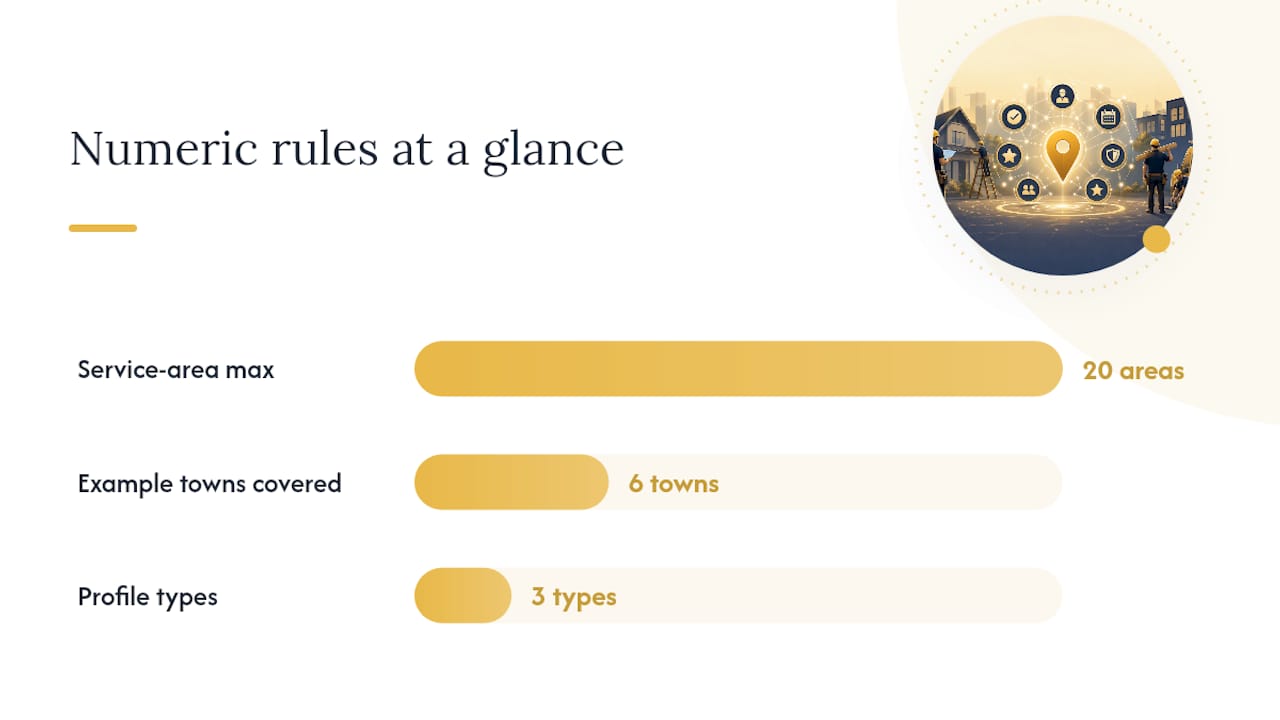
Most contractors fall into one of three profile types, and picking the wrong one causes more suspensions than any other single mistake. A storefront business has a physical location customers visit, like a plumbing supply counter. A service-area business travels to customers and has no public-facing location, which describes most HVAC, roofing, and electrical operations. A hybrid business does both, such as a general contractor with a small showroom who also does on-site renovations.
Service-area and hybrid businesses can set up to 20 service areas by city or postal code, and there’s no radius-based option anymore. You pick specific cities or postal codes, not a “50 km from my shop” setting.
- List the cities or postal codes where you genuinely complete jobs, not your whole province.
- Prioritize areas where you have real job history over ones you’d merely like to work in.
- Update the list if your coverage shrinks or grows, rather than leaving stale entries.
- If you don’t serve customers at your physical address, remove that address from the profile entirely.
Pro Tip: If you work from home and don’t want your address public, mark the business as a service-area business and hide the address. Google still uses your actual location for ranking purposes; it just isn’t shown to searchers.
The single most common contractor mistake here is creating separate city-by-city listings for what is really one mobile operation. A roofer covering six towns from one crew and one set of trucks needs one profile with six service areas, not six separate listings. Google treats duplicate listings representing the same underlying business as policy violations, and it’s a common reason contractor profiles get suspended without warning.
Choose the right category, services and attributes
Your primary category carries more ranking weight than almost any other field on the profile, and it’s the one contractors get wrong most often. Google recommends using the fewest categories needed to accurately describe your core business, with the primary category being the single most specific accurate description of what you do, not a broad umbrella term.
“General Contractor” is technically accurate for a kitchen remodeler, but “Kitchen Remodeler” or “Bathroom Remodeler” as the primary category, with “General Contractor” added as a secondary category, tends to match more specific searches. You can add up to nine additional categories beyond the primary one.
- Pick the primary category first, and be specific. A roofing company should choose “Roofing Contractor,” not “Construction Company.”
- Add secondary categories for genuine sidelines. If you also do gutter installation, add that as an additional category rather than trying to cram it into your business name.
- Never keyword-stuff the business name field. Adding “Best Toronto Roofer 24/7 Emergency” to your legal name violates Google’s naming guidelines and risks suspension.
- Build out your services list with real job types. List “Furnace Repair,” “AC Installation,” and “Duct Cleaning” separately rather than one vague “HVAC Services” entry.
- Turn on relevant attributes. “Free estimates,” “Onsite services,” and “Identifies as veteran-owned” (if applicable) all help filter-based searches find you.
The services list matters more than most contractors realize because it feeds directly into how review aspect ratings get organized on your profile, which becomes important in the reviews section below.
Photos, videos, posts and prohibited content: what converts and what gets you suspended
A profile with recent, real photos gets more clicks than one relying on a logo and a stock image, and contractors are in a stronger position here than most industries because the work itself is visual proof.
The photo types that actually move the needle:
- Branded trucks and crews on-site, which signal you’re an active, legitimate operation rather than a one-person side hustle.
- Before-and-after pairs for renovation and repair work, shown together so the transformation is obvious.
- Finished installs, especially ones showing clean workmanship: tidy wiring, sealed roofing edges, level tile lines.
- Short videos of a crew mid-job, even 20 to 30 seconds, build trust that static photos can’t match.
Posts work well for promoting seasonal offers, like furnace tune-up specials before winter or gutter cleaning ahead of fall storms. The mistake almost every contractor makes at least once is pasting a phone number directly into the post text. Google’s content guidelines call for using the profile’s built-in call button instead, tied to your verified number, both for policy compliance and because it lets you track which posts actually generate calls.
Statistic Callout: Profile completeness (photos, services, hours, categories) is one of the core inputs Google uses alongside relevance, distance and prominence to decide who shows up in local search results. A thin profile with no photos is competing at a structural disadvantage before a single review is even factored in.
Avoid posting anything that implies guaranteed outcomes on regulated work (electrical, structural) without qualification, and never use before-and-after photos from a job you didn’t actually complete. Both are content-policy violations that can trigger a suspension review.
Reviews and Q&A: how to get genuine reviews and use them to win jobs
Reviews decide more bids than most contractors admit, and the workflow for collecting them matters as much as the reviews themselves. Google’s guidance is direct: request reviews from real customers, never incentivize or fabricate them, and respond to every review professionally.
- Ask at the moment of highest satisfaction, which for contractors is usually right after the final walkthrough, not weeks later by email.
- Send a direct link, not a vague “please review us” request. Google Business Profile generates a shareable review link from your dashboard.
- Reply to positive reviews briefly and specifically, mentioning the job type if the customer didn’t (“Glad we could get that furnace running before the cold hit”).
- Reply to negative reviews calmly, then take it offline. Acknowledge the issue publicly, then invite the customer to call or email to resolve it directly.
- Watch your aspect ratings. Google’s review system for service businesses can surface feedback tied to specific job types, and a pattern of low marks on one aspect (say, cleanup) is worth addressing operationally, not just in your reply.
Pro Tip: Set up your Q&A section proactively by posting and answering your own common questions: “Do you offer free estimates?” “What areas do you serve?” “Do you work weekends?” This removes friction before a prospect even has to ask, and it’s one of the most overlooked corners of the profile.
A well-maintained Q&A section paired with a steady review flow does more for conversion than almost any paid tactic, because it answers the hesitation a homeowner has right before they pick up the phone. For a deeper look at managing the review side long-term, this guide on reputation management covers the follow-up cadence in more detail.
Measure and iterate: using Insights and performance to turn views into leads
Your Business Profile dashboard tracks how many people searched for you directly versus discovered you through a category search, how many viewed you on Search versus Maps, and how many took an action: calling, requesting directions, or clicking your website.
The metrics worth checking monthly, not obsessing over daily:
- Search queries, which show you the exact terms triggering your listing, often revealing service names you hadn’t listed yet.
- Views split by Search vs. Maps, useful for knowing whether your traffic comes from people actively searching or just browsing nearby options.
- Customer actions (calls, website clicks, direction requests), the closest thing to a lead count the profile gives you natively.
- Photo views, a decent proxy for how much your visual content is pulling people in before they click through.
None of this means much in isolation. Cross-reference Insights with your website analytics or call log to see whether GBP-driven traffic is actually converting into booked jobs, not just clicks. If calls are climbing but bookings aren’t, the gap is usually in how fast someone answers the phone, not in the profile itself.
Once your organic profile is solid and you’re tracking a baseline, Local Services Ads or Google Ads become worth testing, particularly in competitive trades like plumbing and HVAC where organic map-pack spots are hard to hold long term.
Common mistakes and compliance checklist for contractors
Most contractor profile problems trace back to five recurring habits, and they’re almost all avoidable once you know to look for them.
- Multiple city listings for one mobile business. One profile, multiple service areas, always.
- Editing details during postcard verification. Wait it out; codes expire after 30 days if unused.
- Phone stuffing in posts and descriptions. Use the verified call button, not pasted digits.
- Stock or borrowed photos. Real job photos outperform generic imagery every time and are far less likely to trigger a content review.
- Stale service-area or category data. Review both every few months, especially after adding a new crew or dropping a service line.
| Compliance check | Why it matters |
|---|---|
| One profile per business, not per city | Prevents duplicate-listing suspension |
| No edits during pending verification | Avoids restarting a 30-day wait |
| Call button used instead of pasted numbers | Meets content policy, enables call tracking |
| Photos are real job sites, not stock | Reduces suspension risk, builds trust |
| Categories and services reviewed quarterly | Keeps profile matched to actual work performed |
Run through that list once a season, especially heading into a busy period, and most suspension risk disappears before it becomes a problem.
Practitioner perspective: how OnLead approaches Google Business Profile optimization for contractors
An effective onboarding for new contractor clients should start with a profile audit: checking verification status, category accuracy, and photo evidence for recent jobs. Many contractor profiles fail at least two of these checks before optimization begins.
From there, the sequence is consistent: collect 8 to 12 recent job photos, map every real service line to Google’s service fields, and launch a structured review request campaign tied to job completion rather than a generic quarterly blast. Insight reviews get scheduled monthly, not left to chance.
Movement in Search queries and photo views can appear within the first few weeks after profile completion and fresh imagery. Call volume and direction requests often follow as reviews accumulate over the following month or two. Effective tactics include swapping generic call-to-actions on posts for a direct “Call now” button and testing whether listing specific job types (rather than broad service categories) affects which search terms trigger the listing.
What contractors get wrong about Google Business Profile
The advice most contractors hear is “get more reviews,” and that’s not wrong, but it’s incomplete to the point of being misleading on its own. A profile with 80 reviews and a vague, miscategorized service list will lose to a competitor with 20 reviews and precise category and service-area data, because Google is matching intent to structure before it ever weighs review volume.
The bigger blind spot is treating the profile as a one-time setup task rather than an operational habit. Photos go stale, service areas drift out of date as crews expand or contract, and categories never get revisited after the initial setup. That decay happens quietly, and most contractors don’t notice until a competitor’s fresher, better-mapped profile starts outranking theirs for searches they used to own.
If you do one thing first, make it the category and services audit. Everything else on the profile, photos, posts, reviews, works better once Google actually understands what job you’re the specific match for.
— OnLead
How OnLead handles Google Business Profile optimization for contractors
Running Google Ads or boosting posts on top of a thin, miscategorized profile is a common way contractors burn budget without seeing it convert. Onlead fixes the profile foundation first: Google Business Profile optimization alongside local SEO built specifically for HVAC, plumbing, electrical, roofing, and general contractor businesses across Ontario.
Clients receiving marketing services can work directly with dedicated agency leadership, obtaining a custom strategy tailored to their trade instead of a templated package. Campaigns often launch quickly after the initial audit, and all assets and accounts remain in the client’s own name. If you also run paid search, Local Services Ads setup is a natural next step once the organic profile is solid.
Start with a free profile audit through OnLead’s services page to see exactly which fields are costing you visibility right now.
FAQ
Who is eligible for a Google Business Profile?
Any legitimate business with real, direct interaction with customers can create a profile, whether that’s a storefront, a service-area business, or a hybrid of both. Contractors qualify as service-area businesses in most cases, meaning you don’t need a public-facing office to get verified and listed.
Do Google Ads work for contractors?
Google Ads and Local Services Ads can generate leads for contractors, but they perform best once your organic Business Profile is already accurate and complete. Running paid traffic to a thin or miscategorized profile tends to waste budget, which is why pairing ads with a solid profile foundation matters more than the ad spend itself.
Do I really need a Google Business Profile?
For a contractor, yes. Local search results rely on relevance, distance and prominence as core ranking signals, and none of those can register without a verified, complete profile. Skipping it means competitors with a profile show up first, even if your work quality is better.
Is it free to have a Google Business Profile?
Creating, claiming and verifying a Google Business Profile costs nothing directly from Google. Optimization work, professional photos, or paid campaigns layered on top carry their own costs, but the profile itself has no listing fee.
How many service areas can a contractor set on their profile?
Service-area and hybrid businesses can list up to 20 service areas by city or postal code. There’s no radius option, so each area has to be added individually based on where you actually complete jobs.